Kthology
Equipment Rental Software: Replacing Paper From Booking to Maintenance
How Singapore equipment rental and leasing companies can move bookings, contracts, returns, maintenance and invoicing off paper and into one system, with lessons from a project we delivered.
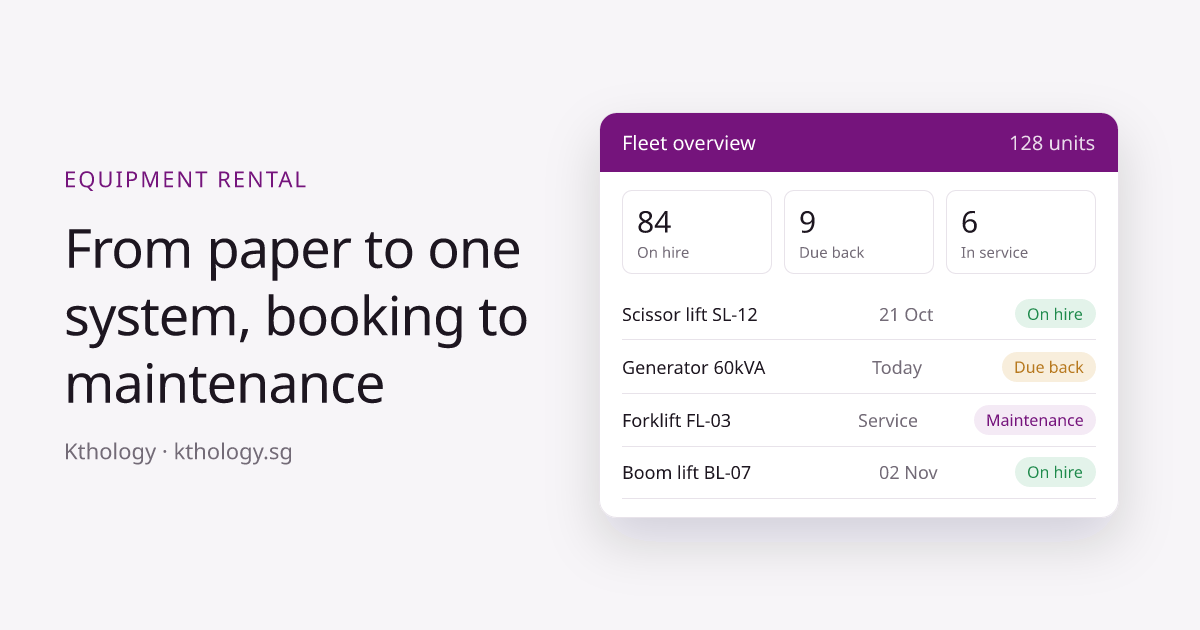
Many equipment rental and leasing companies in Singapore still run the business on paper. A booking is written in a logbook, the delivery order is printed and signed, the return is checked against a clipboard, and maintenance is remembered by whoever has been there longest. It works while the fleet is small. Once you have a few hundred units across many job sites, paper starts costing you money every week.
This guide explains where paper breaks down, what a rental management system should do, and how we replaced paper for an equipment leasing company, from the first booking to the last maintenance check.
Where paper breaks down
The problems usually show up in the same places:
- Availability. Nobody can say for certain which units are free next Monday without phoning the yard. Double bookings and idle equipment both happen.
- Contracts and delivery orders. Paperwork is filled in by hand, copied, filed and occasionally lost. Finding the signed copy during a dispute takes time.
- Returns and condition checks. Damage noted on paper is hard to prove later, and returns are not always recorded on the day they happen.
- Maintenance. Service intervals live in someone’s head or a spreadsheet. Units go out overdue for servicing, or sit waiting for a check nobody scheduled.
- Invoicing. Rental days, extensions and extra charges are worked out by hand at month end. Late or missed charges are common.
- Visibility. Management cannot see utilisation, overdue returns or revenue by unit without someone compiling a report.
What an equipment rental system should do
A good system follows each unit through its whole life, not just the booking. At minimum it should cover:
- Asset register. Every unit with its serial number, specifications, documents, location and status.
- Bookings and availability. A live calendar of which units are on hire, reserved, due back or in the workshop.
- Contracts and delivery orders. Generated from the booking, with rental terms and rates filled in automatically.
- Check-out and returns. Condition recorded on a phone, with photos and the customer’s signature, so there is proof of what went out and what came back.
- Maintenance. Service schedules by hours or dates, reminders before units fall due, and a history of every repair.
- Invoicing. Charges calculated from the actual rental period, including extensions, so invoices go out on time.
- Reports. Utilisation, overdue returns, upcoming maintenance and revenue, without anyone building a spreadsheet.
Case study: from paper to one system
We built a management system for a heavy equipment leasing company in Singapore. Before the project, everything from booking to maintenance was tracked on paper. The goal was to put the full lifecycle of each unit into one place that office staff, yard staff and management could all use.
What we delivered
- A web system for bookings, availability, customer contracts and invoicing
- Maintenance tracking with automated reminders and a service history for each unit
- An Android app for staff working away from the office
- Migration of the client’s existing records into the new system
Timeline: a working first version in 14 days, then 5 weeks to full deployment including data migration. Stack: Laravel, Android and MySQL.
After launch, the client estimated an 80% reduction in paperwork and more than 400 staff hours saved each month. These are the client’s own estimates rather than an independent audit, but they show where the time had been going: copying, filing, chasing and reconciling paper.
Off-the-shelf or custom?
Packaged rental software is worth considering first. If your process is standard, a subscription product can be quicker to start with and cheaper in year one.
Custom software makes more sense when:
- Your pricing rules, contract terms or approval steps don’t fit what packaged products offer
- You need it to connect to your accounting system, a customer portal or your own reporting
- You are paying for several tools that don’t talk to each other
- You want to own the system and its data rather than pay per user every month
If your technicians also service equipment on customer sites, see our guide to digital field service reports.
How to get started
- Map your current process. Follow one unit from enquiry to return to maintenance and write down every form, spreadsheet and message involved.
- Pick the core first. Usually the asset register, bookings and availability. These give the fastest relief.
- Add the rest in phases. Returns with photos and signatures, maintenance scheduling and invoicing can follow once staff are using the core.
- Plan the data move. Clean up your existing lists of units and customers early. Imported data is only as good as the source.
- Involve the yard. The people checking equipment in and out must find the mobile screens quicker than paper, or they won’t use them.
Frequently asked questions
How long does it take to build?
For the project above, a working first version took 14 days and full deployment took another 5 weeks. Your timeline depends on how many features and integrations you need, and we confirm it in a fixed quote before starting.
Can we import our existing spreadsheets?
Usually, yes. Unit lists, customers and open bookings can be imported. We review the data with you first so mistakes are not carried over.
Can staff use it on their phones?
Yes. Check-out, returns and maintenance tasks are designed for phones, so staff can record work where it happens.
Who owns the system and the data?
You do. We hand over the source code, database and accounts at the end of the project.
Still running your rental fleet on paper?
Tell us how bookings, returns and maintenance work today. We’ll suggest where to start and give you a fixed quote.
See our custom software service